Network Tools AI — powerful network tools with AI insights


Get Free Version
Everything you need to test, analyze, and secure your connection:

- Network Monitor — instant alerts when Wi-Fi/Cellular changes (free)
- Ping — instant reachability test with optional AI analysis
- Traceroute — per-hop RTT and routing path with optional AI analysis
- GeoTrace — world-map visualization to your target
- DNS Lookup — resolve A, AAAA, CNAME, MX, TXT, SRV, PTR, SOA and more
- Whois — IP/domain ownership, ASN and registration details
- DNS Propagation — check worldwide resolver propagation
- Blacklist Check — verify IP/host reputation against major email RBLs
- Speedtest — measure download/upload + latency
- Port Scan — TCP/UDP scanning with optional AI guidance
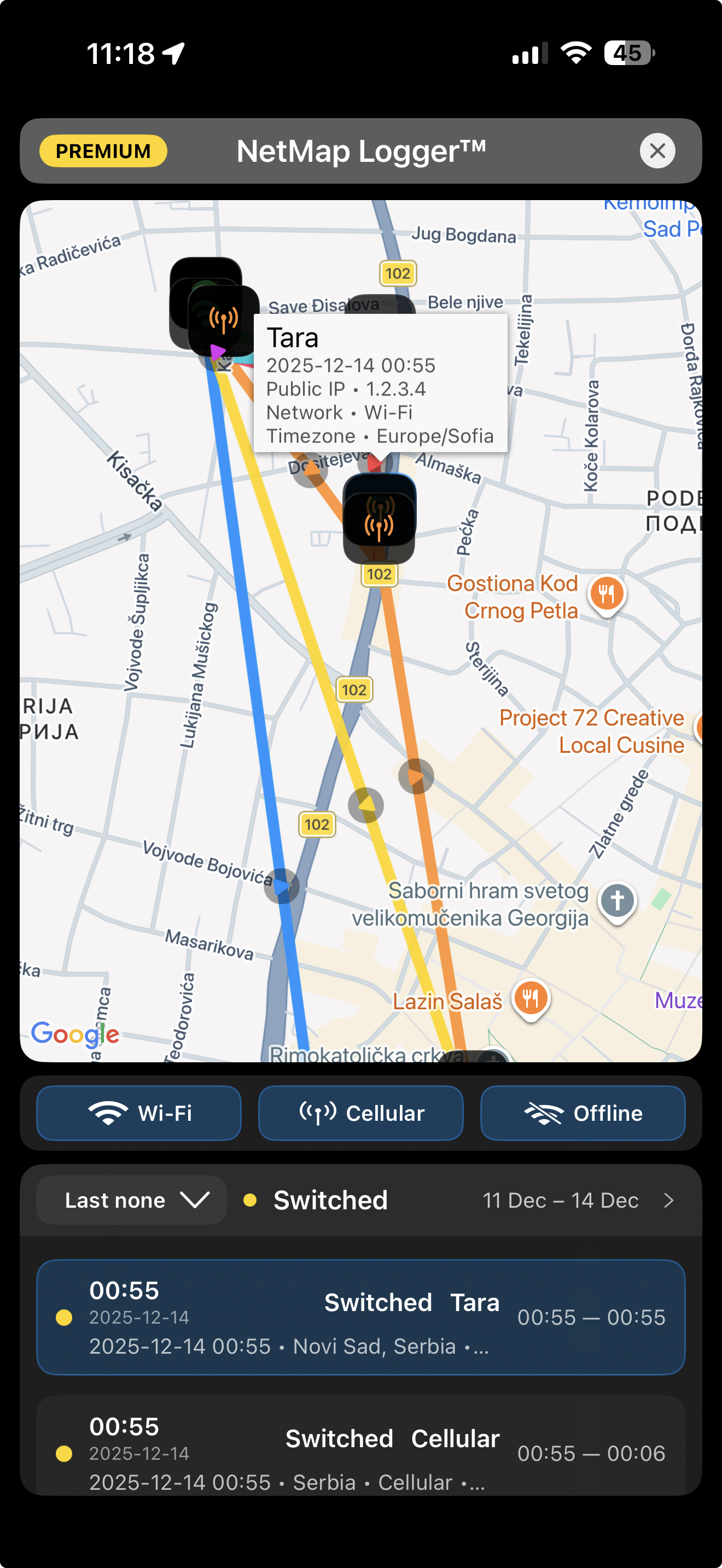
- NetMap Logger™ - Visualize your network history and track every connection change on a real map.
- LAN Scanner AI — discover devices on your network with optional AI insights
- AR Wi-Fi Signal — augmented-reality signal view
- System Info — device + network details with optional AI analysis (offline for non-AI)
- SSLGuard™ — SSL certificate expiration monitoring (subscription)
- DomainGuard™ — domain expiration monitoring (subscription)
- Secure Browser — privacy browser with DE/UK/US proxy + ad-blocking (subscription/trial)
- ScamGuard™ — suspicious link and risk checks
- SiteGuard™ — website security checks
- Help — quick guidance inside the app
- Feedback — contact form for issues and suggestions
NetMap Logger™
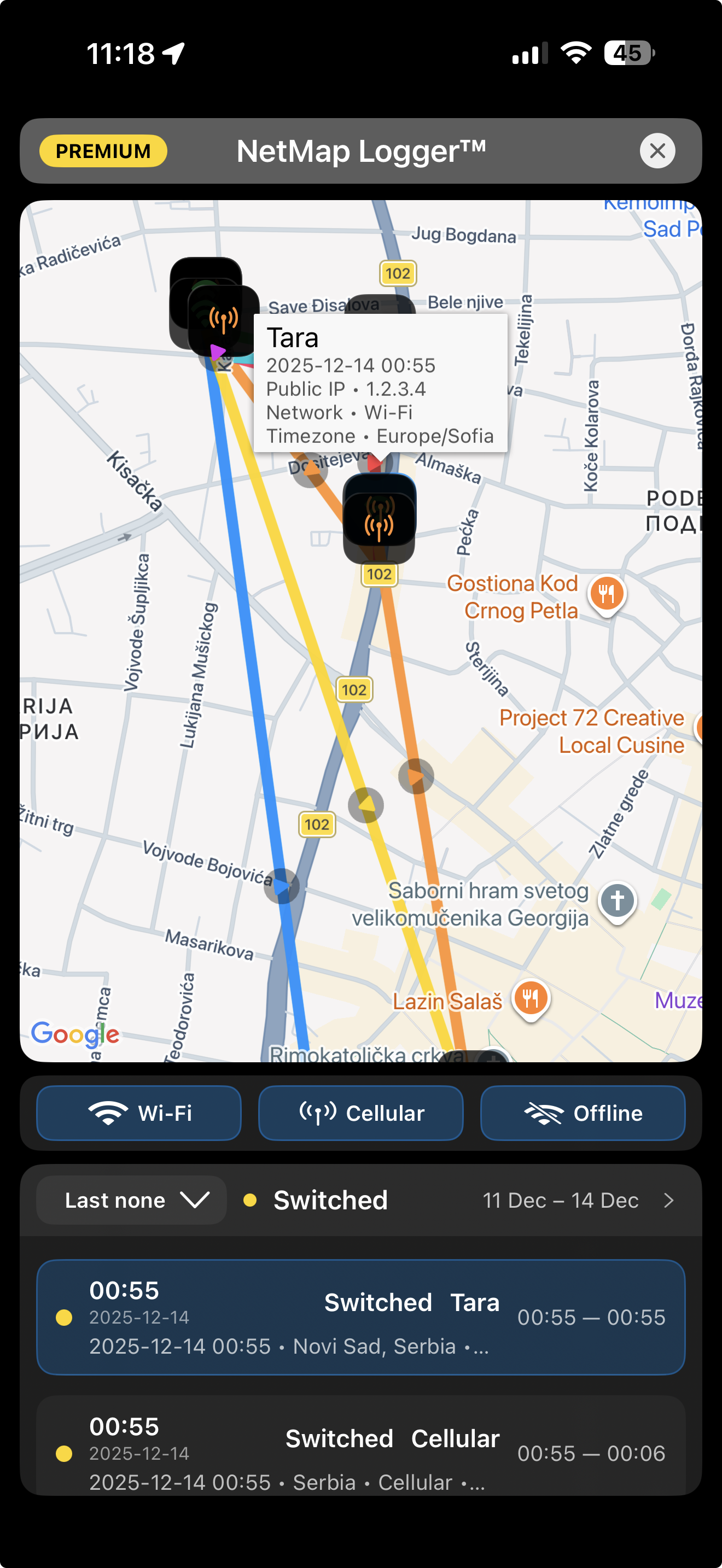
Visualize your network history and track every connection change on a real map.
- Automatically logs Wi-Fi, Cellular, and Offline network changes on your device.
- Displays your connection history on an interactive map with route visualization.
- See when and where your device switched networks during the day.
- Track signal changes, roaming events, and connectivity interruptions.
- Review detailed logs including network name, IP information, and timestamps.
- Export your network history for analysis, troubleshooting, or reporting.
SSLGuard™
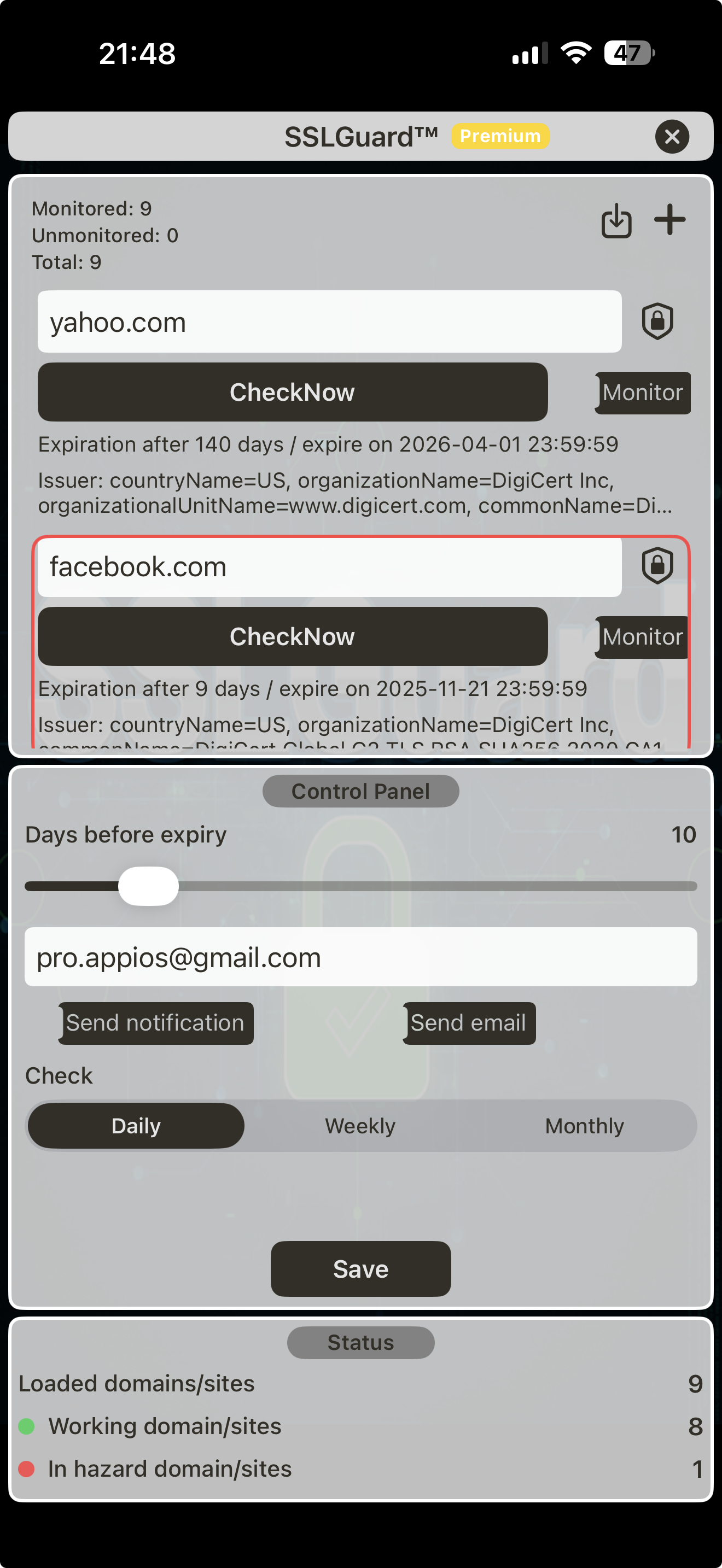
Keep your SSL domains safe with automatic checks and proactive alerts.
- Monitor SSL certificates for your domains directly inside Network Tools AI.
- Track multiple domains and subdomains in one place.
- Choose how many days before expiry you want to be alerted.
- Background checks run on our servers – no extra battery drain on your device.
- Push notifications when a certificate is about to expire or becomes invalid.
- Optional email alerts with detailed SSL status for your domains.
DomainGuard™
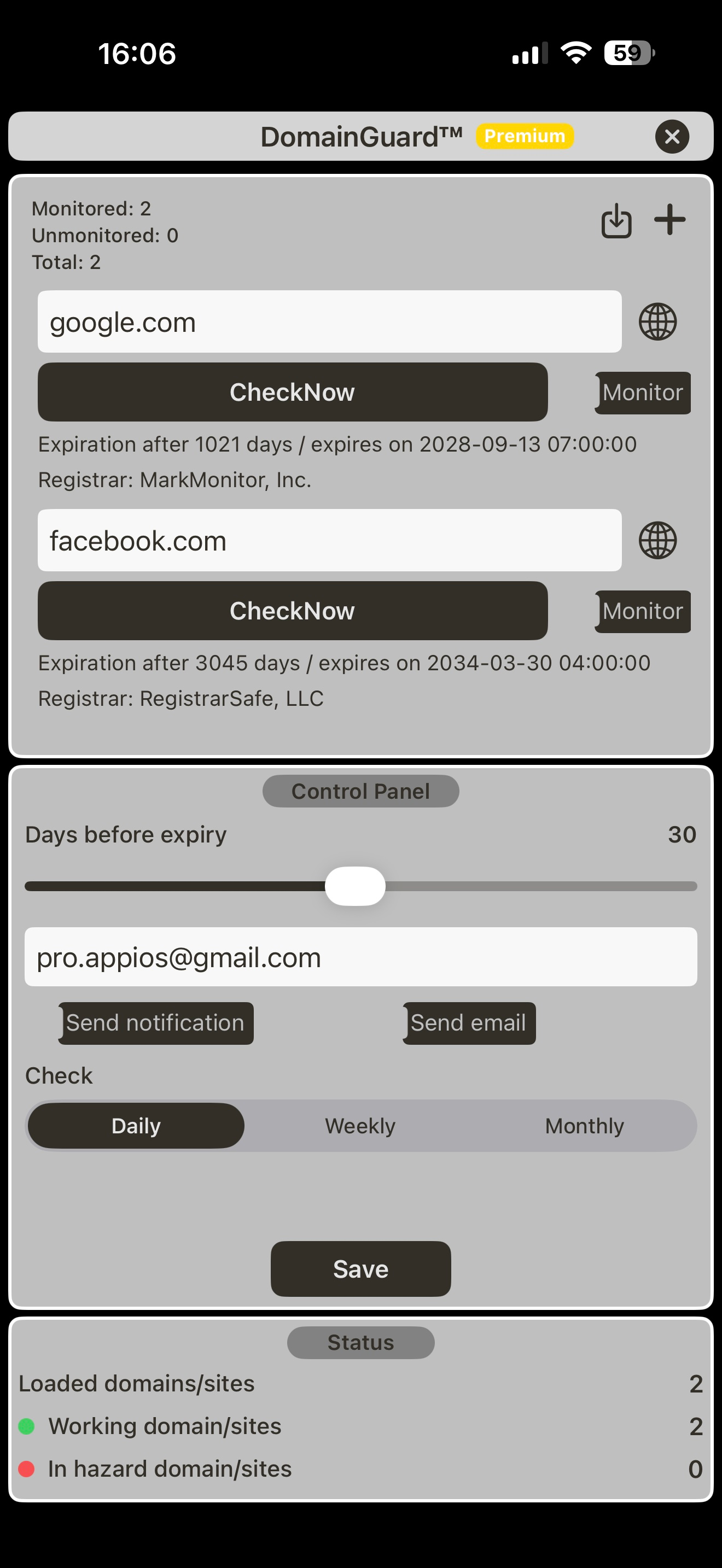
Keep your domains safe with automatic Whois checks and proactive expiration alerts.
- Monitor domain registration & expiration dates in one clean list.
- Smart alerts before expiration — avoid accidental downtime.
- Automatic Whois lookups with registrar and domain metadata.
- Track multiple domains and set your alert threshold (days before expiry).
- Background checks run on our servers — no extra battery drain.
- Optional push notifications when expiration is approaching or data changes.
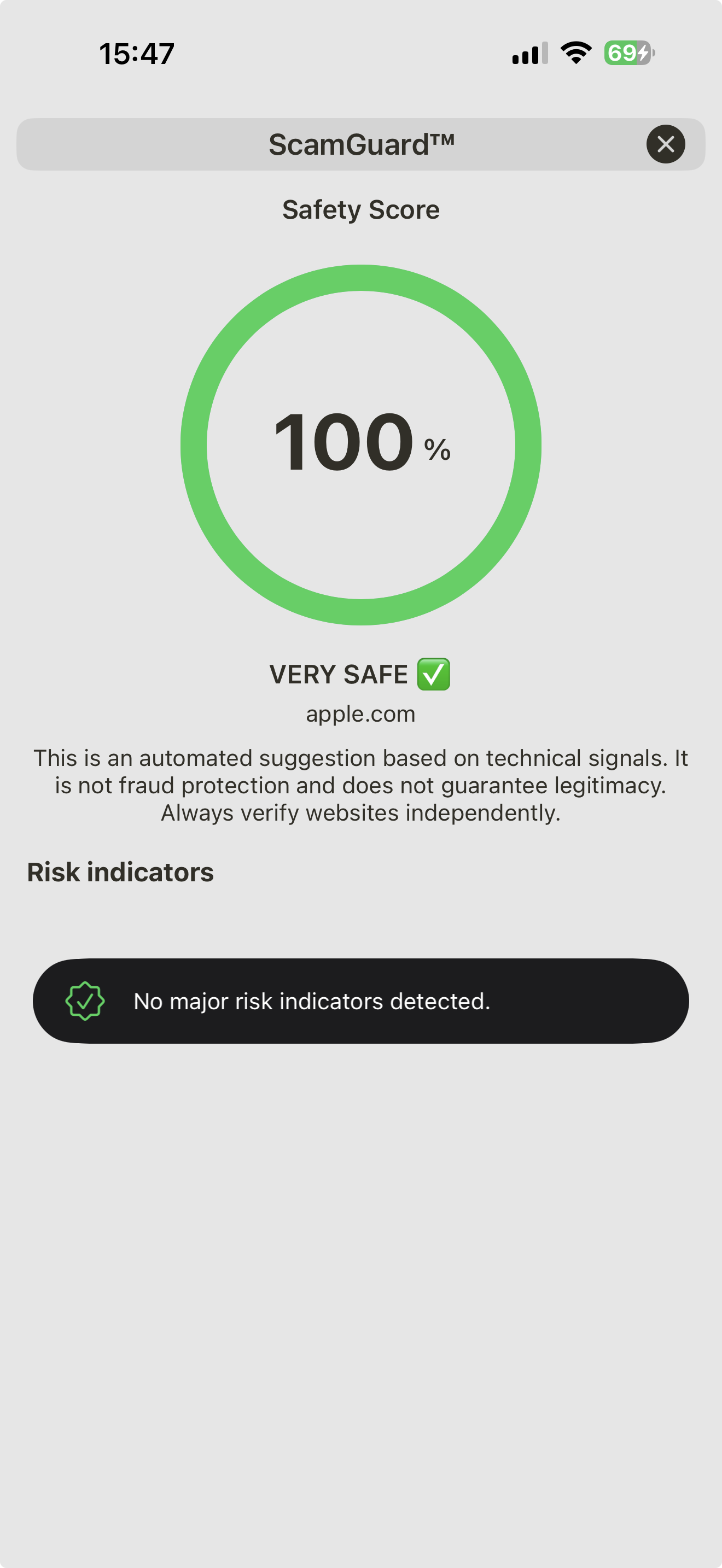
ScamGuard™
Instantly assess website safety using technical risk signals — fast, trusted, and actionable.
- Analyze domain age, DNS, SSL status, redirects, and hosting signals.
- Detect risky patterns often used by phishing and scam websites.
- Clear AI-assisted explanation with practical safety tips.
- Great for links from SMS, email, ads, or social networks.
- One-tap checks inside Network Tools AI — no app switching.
- Helps you decide: safe to proceed, or better to avoid.

Settings include:
- DE / UK / US proxy toggles (browser)
- Always show Welcome screen
- Clear browser history
- Inline video toggle (Browser)
- Kbit/Mbit units toggle (traffic widget)
- Reset traffic & host monitor stats
- Dark mode toggle
- Enable/disable System Info AI
- Enable/disable Ping AI
- Enable/disable Traceroute AI
- Enable/disable Port Scan AI
- Enable/disable Network Monitor

DNS Propagation:
- Resolve a host across worldwide DNS servers

System Information:
- Device model & iOS version, last boot
- RAM usage (GB), CPU cores & load
- Storage usage (GB)
- Cellular/Wi-Fi IP, mask, gateway
- Public IPv4 & location (if available)

System Widgets:
- CPU usage (%)
- RAM usage (%)
- Storage usage (GB)
Network Traffic Widgets:
- Average Wi-Fi throughput
- Average 4G throughput
- 12-hour averages timeline

Host Monitor Widget
- Monitor up to 4 favorite hosts
- Quick ping latency view

Web Vulnerability Scanner
- DNS checks
- Port scan
- SQL injection probes
- SSL vulnerability checks

Built-in Secure Browser:
- Proxy anonymizer (DE / UK / US) — browse through regional privacy proxiesAd-blocking ACL — blocks ads, trackers, and known nuisance domains
- Instant ScamGuard™ link check — every visited URL is analyzed in real time
- Color-coded safety indicator — address bar changes from green → yellow → red based on ScamGuard™ risk score
- Clear explanation on risk — tap to see why a site is considered safe or risky
- History clearing — wipe browsing history instantly
- Inline-video toggle — control autoplay & embedded video behavior
- No app switching — security analysis happens directly inside the browser

- Ad-blocker for distraction-free browsing

- Full-range TCP/UDP 0–65535 (excludes private IPv4 ranges)

- DNS resolve with country flags (A, CNAME, MX, PTR, SRV, TXT, SOA)

- Ping with graph (min/avg/max) + console view

- Automatic 10-run speed test with best result displayed as a bar chart and console output.
- Multiple global test servers: US, UK, and Germany.
- Built-in server latency measurement for accurate performance comparison.

- Traceroute with per-hop RTT & country

- Scan local network for active hosts, scan open ports and OS
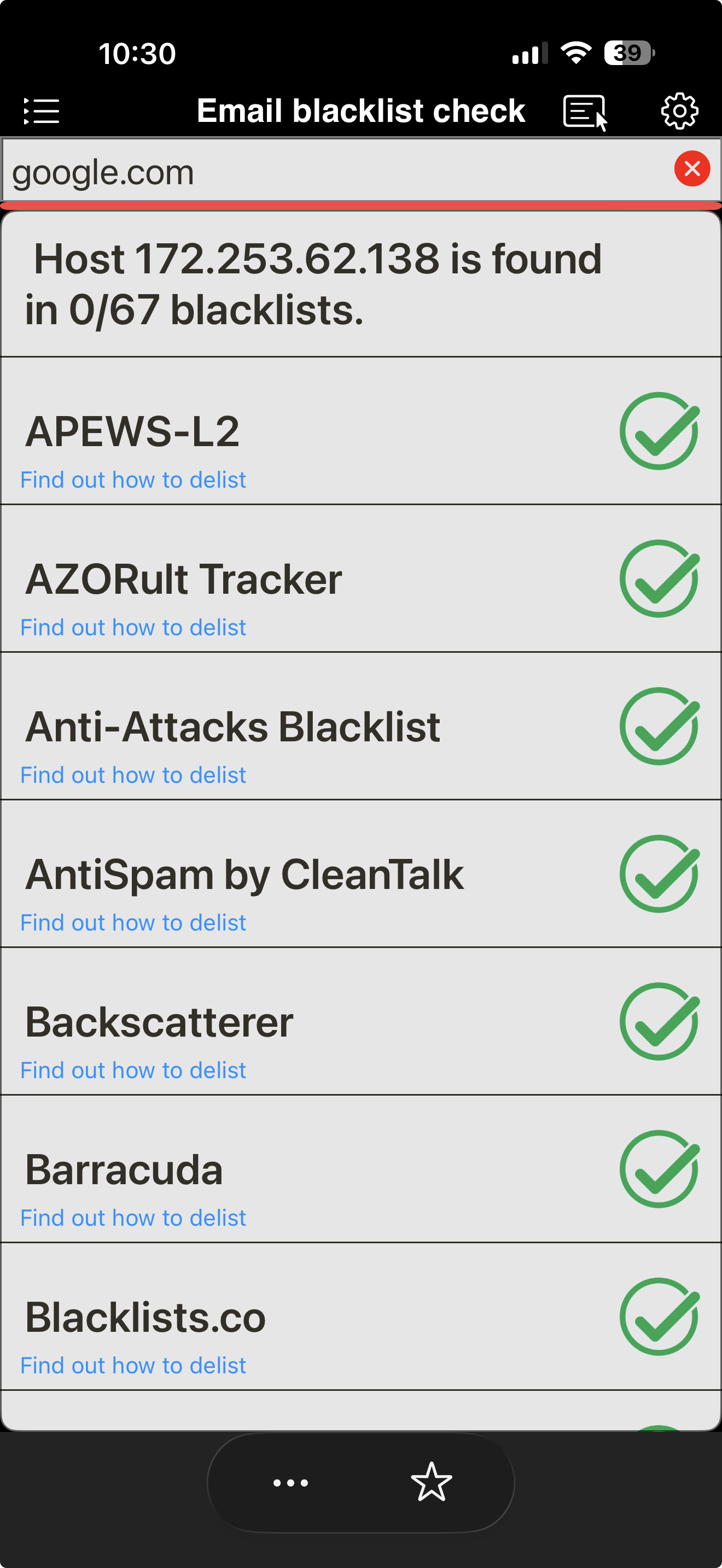
- Scan IP/host against email RBL blacklists
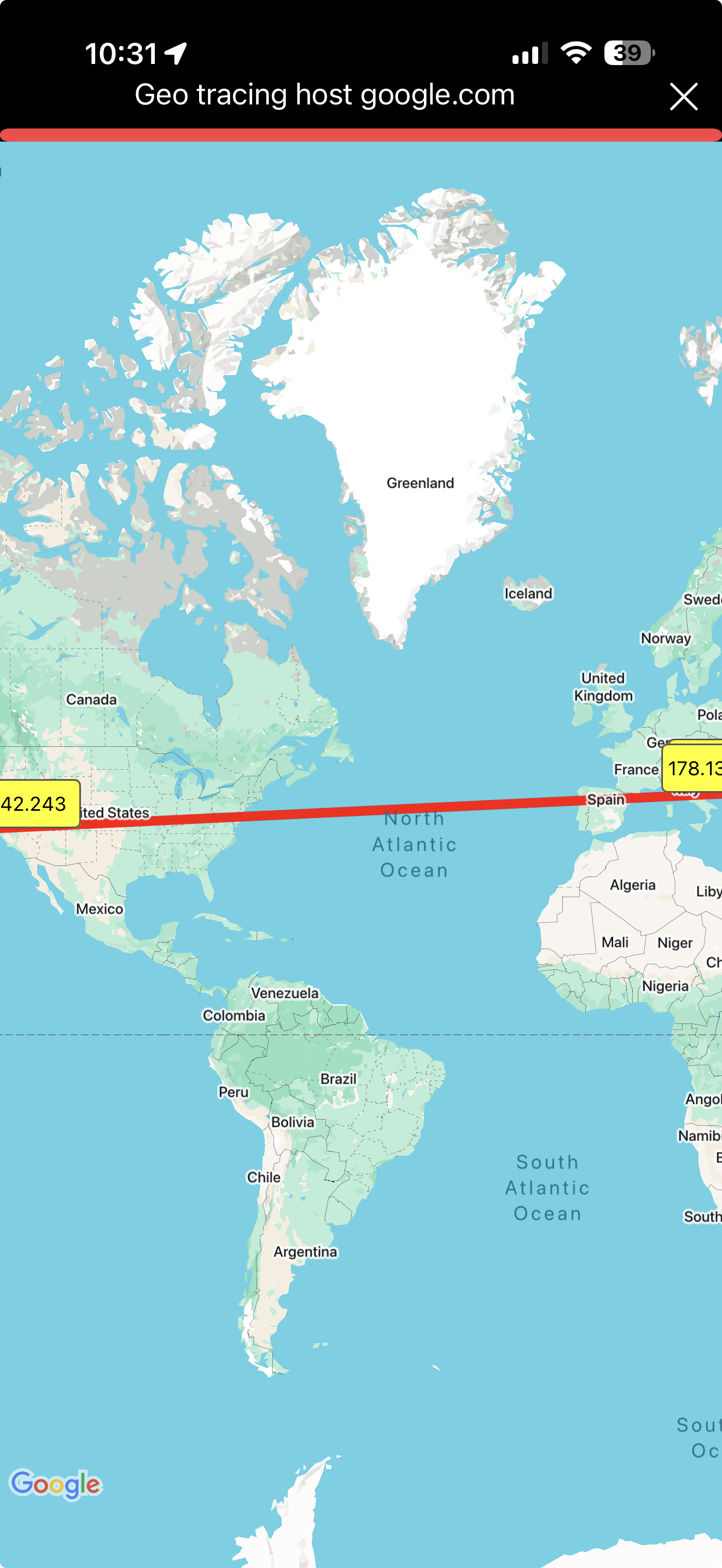
- GeoTrace — world-map visualization to your target